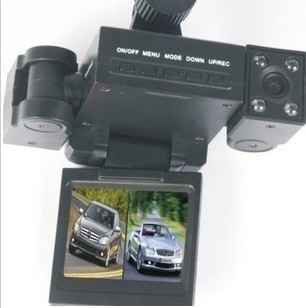
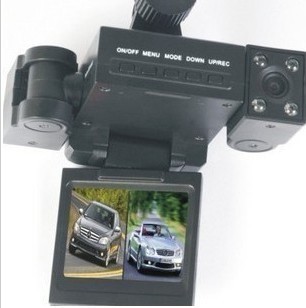
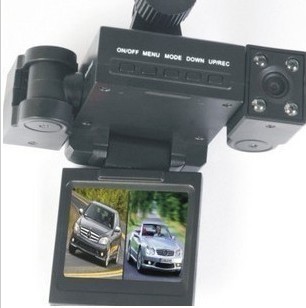
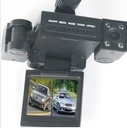
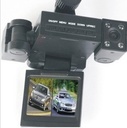
Transformers vehicle tachnography Double lens hd vehicle camera infrared night vision cameras synchronization
This product has no valid combination.
Adjust camera rotation direction
\1. According to the need to adjust the camera Angle;
\2. According to the screen, the image through a camera rotation or key to positive display;
\3. Each axial rotation Angle is 180 °, please use the appropriate power adjustment,
\Prevent damage of excessive power center.
\Function:
\Boot: there are two ways to boot, shutdown state short press the ON/OFF key, DVR automatically into video mode and start video, the green light to shine;Or in the shutdown state connect the car charger, the machine boot directly into video mode, green light flashing;Pull the car charger after the machine automatic shutdown after save video files.
\Machine not insert TF card, boot after the LCD screen display "card error"
\1. To turn it OFF: ON a long press ON/OFF button, the machine shutdown.
When lithium battery is insufficient, DVR screen displays the battery power is low, then save the file and automatically shut down.
\
1. Video: video boot directly into the state, a green light flashing, press REC/UP, file and stop the video, green light is long, the machine into standby mode;In standby mode press the REC/UP into a state machine video, a green light flashing.
2. Photo: in standby MODE, short press MODE key machine into photo MODE, press the REC/UP to, at the same time can hear the speaker voice,
5. Replay, and delete
In standby MODE, short press MODE key twice after the machine into the playback MODE, press the REC/UP or DOWN key to select the preview file, press ON/OFF to play or stop the operations such as;If you want to delete the file, press the MENU button to delete MENU, press the REC/UP or DOWN key to select "perform" or "give UP", press the ON/OFF key confirmed exit delete MENU, return to the playback modes.
\\
6. The opening of infrared lamp
\Camera automatically detects the light intensity, if detected compare dark environment, the machine automatically start the lamp, is advantageous for the DVR record image in dark environment
\Under normal environment of light, infrared lamp automatically shut down, to save electricity
\Light detection is pick up a camera before and after the average light values.
\7. The switch of cameras
\Under the mode of standby or video, click ON/OFF button can switch camera work, the factory was taken around the set to double
\Like the work mode, click ON/OFF button, switch to the right side of the camera alone work mode, click again to switch to the left side of the camera model, working alone again, click the switch to the dual cameras work patterns at the same time
\In the following order cycle: dual cameras, camera on the right side, on the left side of the camera - dual cameras
\Video mode switch camera?Be fine Ba 4 wives were huan did jose cangue which raise ?
\8. The rotation of the screen
\In standby mode, click the DOWN key rotating screen and show the direction, so that the rotating screen in different directions can be observed when the scene is set
\\
The menu features set:
\In standby mode, press the MENU button to enter the Settings MENU interface, press the UP or DOWN key to select according to ON/OFF button after setting project confirmation setting function parameters into the interface, and then press the REC/UP or DOWN button to choose the specific parameter, finally press the ON/OFF key, set after press the MENU button can exit the Settings MENU
\1) video resolution: 1280 * 480
\2) the video frame rate: (frame
\3) loop video time: 2 minutes / 5 minutes
\(4) recording: open or close when choose shut, DVR will no longer be recorded)
\5) language: English/simplified Chinese/traditional Chinese/Japanese/Korean/Russian
\6) optical frequency setting: 50 hz / 60 hz
\7) watermark set time:
\Press ON/OFF into the setting menu, press the UP or DOWN key to select "OFF" or "set", according to the ON/OFF confirmation (confirmation "close" to exit the time Settings, "set" into the time Settings interface);Under the time Settings interface, press the UP or DOWN button to change the date and time parameters, press the ON/OFF key confirmed into the next parameter is set, when after completion of all the Settings, press the ON/OFF key to confirm and exits.
Four parameters:.
LCD screen size: 2.0 inch TFT screen
Lens: 90 degrees of high-definition wide Angle lens
The video resolution: 1280 * 480
Photo resolution: 2560 * 1920
Video formats: AVI
Image formats: JPG
Memory card format: TF memory card (512 m - 32 g), it is recommended to use the card
The recording way: microphones